



Most studios pour their engagement budget into push notifications, then watch half their players never see a single message. That gap is not a delivery bug. It is the system working exactly as designed.
Push opt-in rates now sit around 51% across Android and iOS, according to Airship’s 2026 benchmarks. So before a single campaign goes out, nearly half your player base is already unreachable through that channel. In-app messaging closes that gap. It speaks to players while they are inside the game, where no permission prompt stands between you and them, and where the moment to act is happening right now.
This is where retention is won or lost. A player who hits friction in their first session and gets no guidance does not file a complaint. They uninstall. Done well, in-app messaging catches that player before they go.
What is in-app messaging?
In-app messaging is communication delivered to players while they are actively using your game or app. The messages appear inside the interface during a live session, as banners, full-screen modals, tooltips, or a persistent inbox. Because they live inside the app’s own code, they do not require the system-level permission that push notifications depend on.
That single difference changes everything about reach. A push notification has to earn its way onto the lock screen through an opt-in that most players decline. An in-app message reaches anyone who opens the game.
The format covers far more than a pop-up. It carries text, images, GIFs, video, and deep links that route a player to an exact screen. And it can fire on behavior: a player reaching a new level, stalling on a tutorial, or returning after a week away.
In-app messaging vs. push notifications
Studios often treat these as competing channels. They are not. They do different jobs at different moments, and the best engagement strategies run both.
A push notification is the tap on the shoulder from outside the game. It pulls a lapsed player back into a session. An in-app message is the conversation that happens once they are inside, guiding them toward the next action.
| Push notifications | In-app messaging | |
|---|---|---|
| Where it reaches the player | Outside the app (lock or home screen) | Inside an active session |
| Permission required | Yes, opt-in (~51% accept) | No, reaches up to 100% of active players |
| Best job | Re-engagement, urgent alerts | Onboarding, guidance, conversion |
| Lifespan | Transient, swiped away | Transient or persistent (inbox) |
The takeaway for a CX leader is simple. Use push to win back the session. Use in-app messaging to make the session count. For high-value information you cannot afford a player to miss, send the push and store the detail in a persistent inbox so it survives the swipe.
Types of In-App Messages
Screen placement is only part of the picture. The bigger decision is format, and each format suits a different goal. Product teams generally work with a handful of recognized types:
- Banners: Small, glanceable strips at the top or bottom of the screen. Best for low-friction nudges that do not interrupt play.
- Modals and full-screen messages: High-attention formats that take over the screen. Reserve these for moments that genuinely warrant the interruption, like a major update or a milestone reward.
- Tooltips: Short, anchored hints tied to a specific button or feature. The backbone of any in-game walkthrough.
- Message center or inbox: A persistent home for content that should outlive a single session. This is how you reach players who opted out of push.
- In-app surveys: Interactive prompts that capture sentiment and feedback at the exact moment a player completes an action.
Choosing the wrong format is how good intentions become churn. A full-screen modal during an intense match does not inform a player. It annoys them out of the game.
Why in-app messaging drives player retention
App messaging is not suitable for waking up an inactive audience, but it will help to establish a connection with the existing audience and thus improve user retention and engagement. Here are the key benefits of app messaging:
- Reaching the entire app audience. Unlike push notifications, in-app messages are part of the user experience. They don’t require an opt-in and can reach out to most of your audience.
- High personalization. In-app messages can be highly targeted. Besides content, you can personalize the link destination with the deep linking technology that enables you to assign a destination anywhere in your app.
- Easy to create. Similar to push notifications, in-app messages can be very simple to create. No matter the format, they provide marketing and content teams with an easy way to communicate key news without the need to update the code.
How to Use In-App Messaging
Often the right in-app messaging combines a competent marketing strategy and a strong UX. The messages should be interesting for the recipient and at the same time not interrupt the interaction with the app. According to a study by Reckless, in-app messaging has a 75% open rate. That’s over 45 times higher than email marketing and nearly three times higher than push notifications.
Let’s look at the use cases of app messaging as well as real examples of how brands manage to communicate directly in the app, and how this can affect retention.
Greeting
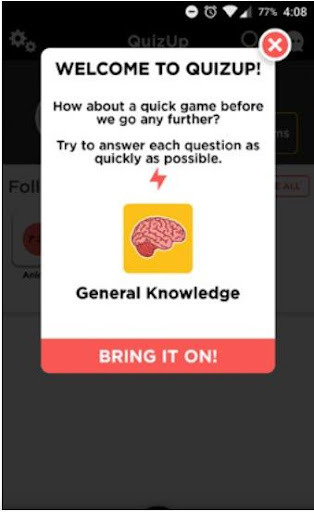
In UX, there is the FTUE (First Time User Experience) indicator, which determines the user’s first impression of interacting with the app interface. It is often a deciding factor of whether the user will continue to use the app. In this regard, already during the first session, it is necessary to interest the user in further acquaintance with the app as well as make all actions convenient and understandable for them.
A simple welcome message, animation, or GIF can make the difference. It draws the user’s attention to the newly installed app, increasing the app’s chances to survive the critical first 72 hours and avoid deletion. Thank your user for the download, reinforce the reasons why they downloaded your app, or incentivize the active use of the app with a reward. By expressing appreciation and creating an early connection that goes beyond just the download, you can retain the user.
App tour
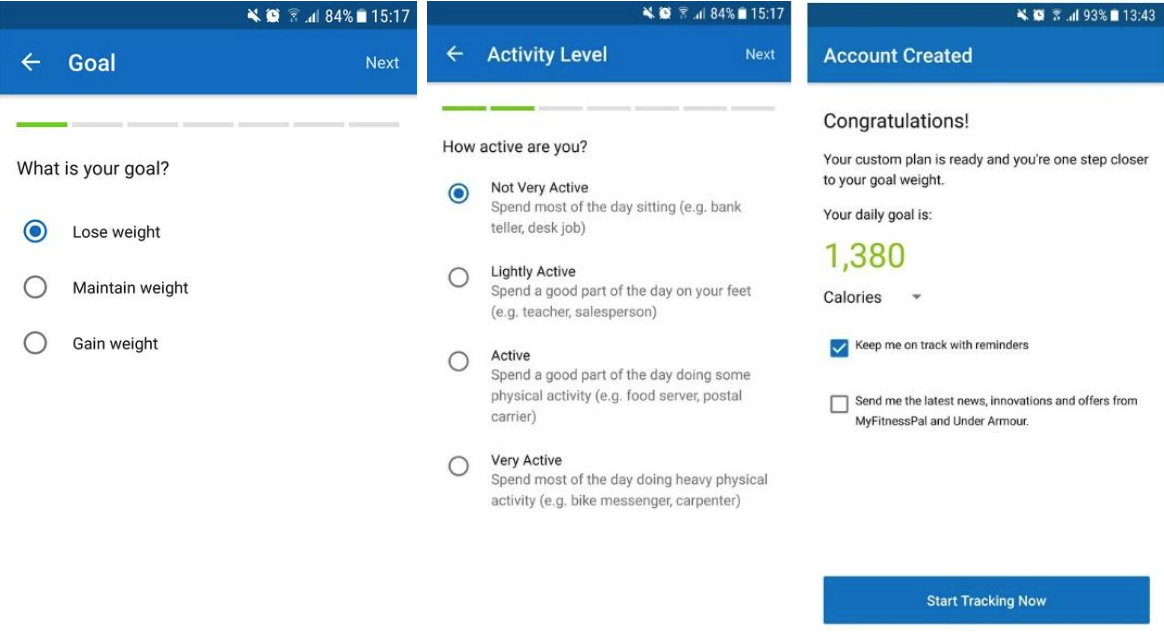
Make sure that your users know how to properly use your app and its features. Even if you’re convinced that your app is intuitive, don’t forgo a walkthrough. If your app requires more cognitive effort than the user expects, there’s a good chance it will end up in the digital trash. According to a survey by Wyzowl, 80% of users say they’ve deleted an app because they didn’t know how to use it.
Offer an app onboarding tour that you can integrate into your welcome message or that users can activate after the welcome. App tours explain the functionality and encourage proper usage. Be sure to describe all features systematically and give your user an option to exit the tour at any time to begin using the app. Getting familiar with your app at the very beginning will improve the user experience and extend the life of your app. Here’s a good example of an app walkthrough by MyFitnessPal:
Gamification
In the gaming industry, the interaction cycle is often based on the “objective, challenge, reward (OCR)” model that encourages you to play the game stage by stage. The motivation of the players is divided into short, medium, and long-term: get to the treasure chest, level up the character, and complete the game. At each stage, the interest is fueled by a reward or new opportunities that the player receives for completing the task.
The reward system as a tool for user engagement and retention has become an integral part of many mobile apps. Rewards, ratings, progress bars, and just emotionally coloured positive messages penetrate the user’s mind and keep them motivated on the way to the goal. Having received even short satisfaction from praise for an achievement, the human brain forms a positive association of interaction with the product and encourages the person to return to it again.
The Focus Plant app is designed to increase personal productivity by reducing gadget dependency. To focus on an important matter, you need to turn on the timer and not use your smartphone for a certain time. To fulfil the condition, you get the sun and water that are needed to grow plants. The more time you spend without accessing apps, the more opportunities you have to grow a huge garden.
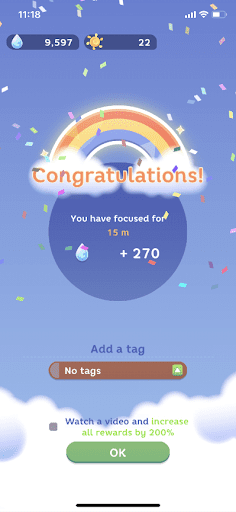
In-app messaging with rewards is relevant not only for apps that use game mechanics. Praise the user for their good taste, congratulate them on their anniversary order, or simply thank them for being with you. Knowing the portrait of your client, you can definitely find the right reason for a pleasant message.
Notification about updates and integration with other apps
If automatic app updates are active on the device, the user may encounter unusual elements on a new start or, conversely, not notice new useful features. Share important updates so that the user can take full advantage of them:
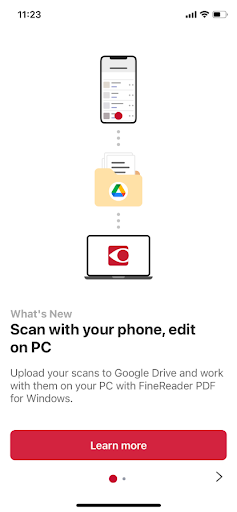
Regardless of whether the user is new, the right use of your app will add value. That’s why you should continually notify your users about new features and updates. This demonstrates your ongoing investment in the user experience and keeps your users informed. Direct users to your new features via a “What’s New” call-to-action and explain how they work. Additionally, you can alert them about important campaigns, such as free shipping offers or seasonal promotions.
Inviting friends
The natural growth of users through the recommendations of existing ones is one of the best methods of attracting a new audience for any business. First, it means low user acquisition cost. Secondly, a new client moves faster through the funnel, because they have already received a recommendation from a trusted source. That is why the practice of inviting a user’s friends is popular, for example, through an offer to share content or referral marketing.
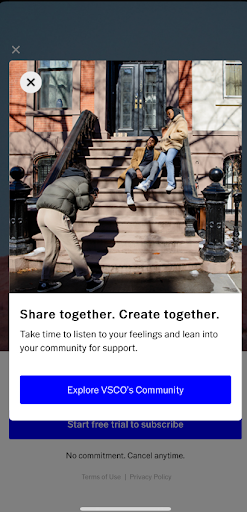
On the other hand, if the user has an audience for interesting interactions in the app, this can extend their average customer lifetime through social engagement. Invite the user to build their own online community or add friends from social media, emphasizing in the in-app message the reason why it will be useful to them:
Upgrade from freemium to premium
In most cases, a company’s profit grows not by attracting new customers, but by repeating the purchases of existing ones. Naturally, apps that have paid and free plans tend to increase the number of subscription users. In this case, companies are trying to achieve what they want through in-app messages, but the outcome can be very different depending on the chosen strategy.
- Way one: give a short free period, and then block most important functions; send lots of annoying notifications about connecting a subscription every time the user enters the app or during a session.
- Way two: provide partial access to the benefits of a premium plan, and then use hints to gently push the user to the transition.
First of all, during the trial, not everyone has time to evaluate all of the functionality, especially if this period is 3-5 days. In the plan comparison messages, some of the benefits may not seem important enough to justify skipping the free version. Therefore, users should realize that they would like to increase their tariff plan on their own.
For example, the VSCO app allows you to apply a premium photo filter and evaluate the result. First, the user receives real value, and only then do they get a message with an offer to subscribe.
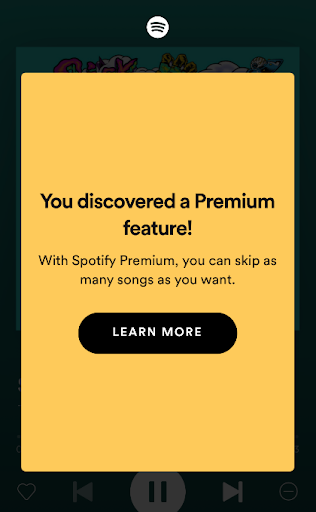
At the same time, the use of premium features should not become a surprise. If they do not have some kind of distinguishing mark, in-app notifications will come in handy. For example, the freemium version of the Spotify app allows you to switch 6 songs per hour, and when approaching the limit, the user receives a small hint about the limit. This reduces the possible negative if the user is ignorant and gives them the right to choose whether to continue using it with restrictions or switch to premium. The subscription offer appears after the user runs out of available track switches.
User interface customization
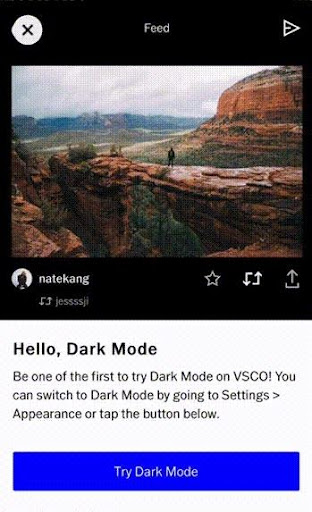
Analysis of user behaviour patterns, experienced UX/UI designers, A/B testing – how to create the perfect interface that absolutely everyone will like? The answer is obvious – no way. Even if the app rating and user reviews indicate that the majority are quite satisfied with the product, there will be those who think that it could be better. With in-app messaging, you can offer the user to customize the interface for themselves, earning additional loyalty points.
When presenting the release of the dark mode, the VSCO photo and video editor not only offers to try a new feature but also demonstrates how it will look like:
Asking for feedback
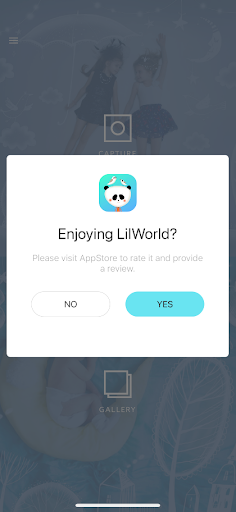
Real user reviews are the best opportunity to identify growth points and work on bugs. In addition, a request for feedback turns in-app messages from a company monologue into a dialogue. You will learn the user’s opinion and show that their satisfaction is important to you. Ask the user about their experience not just while surfing in the app, but after performing some targeted action: making a purchase, downloading content, or completing a level. Some like to leave full reviews, while others don’t want to take the time to write comments. In this regard, it is worth using two types of messages. The first one is for a quick assessment, whereas the second one gives an opportunity to go to an app store and leave a detailed review.
In-app messaging best practices
The channel rewards restraint and punishes noise. A few rules separate the studios that lift retention from the ones that drive players to mute everything.
Trigger on behavior, not the calendar. A message tied to what a player just did beats a scheduled blast every time. Stalled on a level, reached a milestone, returned after a lapse: these are the moments worth speaking into.
Cap frequency. Too many messages dilute the important ones. Set limits so an urgent alert always wins over a promotional nudge.
Match format to stakes. Banners for low-stakes nudges, modals only for moments that earn the interruption.
Personalize with real data. Generic messaging reads as spam. Segment by behavior and spend so each message carries something the player actually wants.
Measure outcomes, not opens. Track retention, conversion, and LTV rather than vanity open rates. A metric that doubles without moving revenue is the wrong metric.
Where in-app messaging fits in your engagement strategy
In-app messaging is the most reliable channel you have for reaching active players, and the earliest line of defense against churn. It reaches the players push cannot, it carries a 75% open rate, and it does its best work in the first session, where retention is decided.
The studios that win with it stop treating it as a broadcast tool and start treating it as a conversation, triggered by real player behavior and delivered without breaking the game. That shift, from batch-and-blast to contextual engagement, is what turns a messaging channel into a retention engine.
See how Helpshift’s proactive player engagement helps studios reach the right players at the right moment, reduce churn, and grow player LTV across the full lifecycle. [SERVICE PAGE CTA]
Frequently asked questions
Is in-app messaging the same as push notifications?
No. In-app messages appear while a player is actively using the game and require no opt-in, so they reach up to 100% of active players. Push notifications appear outside the app on the lock or home screen and require permission that roughly half of players decline. The two work best together: push to bring players back, in-app messaging to guide them once they arrive.
Do in-app messages require player permission?
No. Because in-app messages are built into the app’s own code, they do not need the system-level opt-in that push notifications require. Any player who opens the game can receive them, which is why the channel reaches a far larger share of your audience than push alone.
How does in-app messaging improve player retention?
It intervenes at the moments players are most likely to leave. Welcome flows and guided tours prevent the early confusion behind most uninstalls, while behavior-triggered messages re-engage players at friction points. Because the channel reaches every active player, the retention benefit covers your whole base rather than the opt-in fraction.