



Picture this: a player hits a purchase bug on console, switches to mobile to keep playing, and ends up filing multiple tickets across channels because support doesn’t follow them across devices.
Cross-platform support complexity keeps growing, especially as titles launch simultaneously across PC, console, and mobile. And when support systems aren’t unified, ticket spikes amplify quickly.
This article explores what a seamless cross-platform support journey should feel like, where legacy systems create friction, how leading studios are solving this, and how Helpshift can help teams build consistent support across every device players use.
The Cross-Platform Challenge in Modern Gaming
Cross-platform play has expanded revenue, reach, and community size. It has also multiplied the number of ways support can go wrong if your tools are stuck in the past.
Why player expectations are higher than ever
Players who move between console, PC, and mobile already enjoy synced progress, shared wallets, and cross-save. They expect the same continuity from support.
If they report an issue on console, they assume the agent they meet on mobile already knows what happened. If they start a chatbot flow on PC, they expect to pick it up on their phone without repeating themselves. Anything less feels out of step with the rest of the experience.
The fragmented support experience across platforms
Most of the frustration doesn’t come from your team’s effort; it comes from the stack you inherited. Typical “legacy” setups look like:
- Console players funnelled into clunky web forms opened in an overlay.
- Mobile players pushed to email or an FAQ page in a browser.
- PC players juggling Discord, forums, and support links.
- A traditional ticketing system sitting off to the side, blind to in-game context.
Each of these tools works in its own silo. There’s no shared player profile, no unified history, and limited telemetry from the game itself. Routing often depends on dropdowns and manual tagging rather than real context. You end up with dozens of partial stories instead of one complete picture of each player.
The cost of inconsistent support journeys
This fragmentation has a very real impact on retention. Players who bounce between channels, repeat the same story, or wait days for a response are far more likely to churn, ask for refunds, or steer friends away from your title.
You also lose the chance to learn. When conversations live in disjointed systems, it’s hard to see platform-specific trends, event-related spikes, or systemic issues affecting only console or only mobile.
That’s exactly where modern, in-app workflows shine: Helpshift’s in-app, in-game, and social channels see average survey response rates of 17.6%, compared with just 7% on email and web, giving studios a much clearer read on sentiment and friction points.
What a Seamless Player Support Journey Looks Like
Before you choose tools, it helps to picture the ideal cross-platform journey from the player’s perspective.
Consistent experience across console, PC, and mobile
In a seamless journey, “support” doesn’t feel like a separate system. It’s a familiar entry point in every client: a help icon in the HUD, a pause-menu option, or a clearly marked button in the lobby.
Whether the player is on Xbox, Steam, or a phone, they see the same style of messaging, the same tone, and a similar flow. They don’t need to remember different URLs or channels by platform.
Unified player profiles that travel across platforms
When a player opens support on console, their profile brings everything with it:
- Linked accounts (Xbox, PlayStation, Steam, Apple, Google)
- Progress, inventory, and event participation
- Purchase and refund history
- Prior conversations, regardless of where they started
Agents and bots operate from a single player timeline instead of three separate tickets. That’s what makes “one conversation across many devices” feel natural instead of stitched together.
In-game support that feels native everywhere
Immersive support respects the context of each device:
- On console, players can navigate support with a controller instead of typing long messages.
- On mobile, support flows align with gestures and small-screen layouts.
- On PC, players can share screenshots or logs without hunting through folders.
The key is that support feels like part of the game world, not a jump to a browser or external portal that breaks immersion at the worst possible moment.
How Helpshift Enables Cross-Platform Support
Once you have that ideal in mind, the challenge is building it without maintaining three different stacks or rewriting tooling for every platform. A more sustainable path is to standardize the building blocks of your support journey, then plug them into each client. That’s where Helpshift helps:
In-App Messaging That Adapts to Every Device
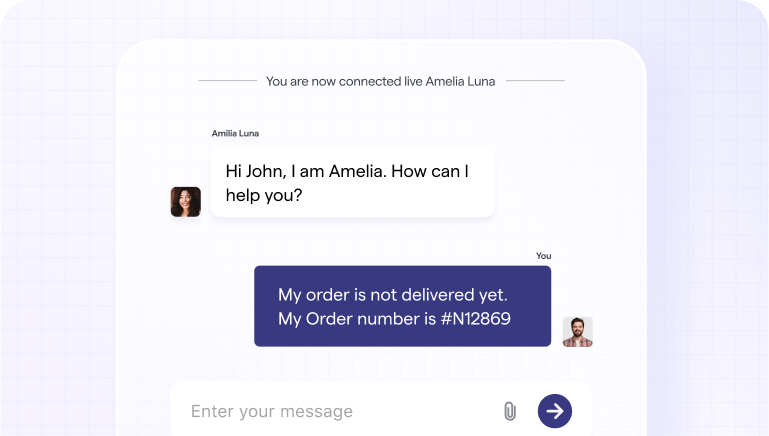
The first hurdle is keeping players inside the game when they need help. With a traditional setup, your options are often limited to web links or deep links to a standalone help center. That forces players to tab out, log in again, and reorient themselves.
If you were to solve this on your own, you’d need to:
- Build a responsive messaging UI for each platform.
- Manage connection states, notifications, and history sync.
- Store conversation data in a way your agents can actually use.
Helpshift’s in-app messaging gives you a unified conversation layer that you can drop into mobile, PC, and console clients. Players see a native-feeling chat interface that matches your game’s look and feel, and they can move between devices while keeping their conversation thread intact. Your team manages all of those interactions from a single workspace instead of juggling channel-specific tools.
Seamless Integrations with Game Backends and CRMs
Legacy systems often treat support as a separate database: tickets in one place, game data in another, CRM data in a third. That’s why agents still ask for screenshots, usernames, or purchase IDs players feel they’ve already provided.
If you tried to fix this manually, you’d need to wire your ticketing tool into your game backend and CRM, then build rules to attach things like:
- Session logs and error codes
- Entitlements and currency balances
- VIP tier and lifetime value
Helpshift is designed for exactly this pattern. Through APIs and SDKs, it pulls in device, account, and telemetry data so agents and bots see each issue in context. That means fewer back-and-forth messages, faster resolutions, and a much clearer view of what’s breaking by platform, region, or event.
AI-Powered Automation for Common Cross-Device Issues
Support surges rarely respect platform boundaries. A broken login flow on one platform can trigger a wave of tickets across all of them. With legacy tools, triage often depends on manual categorization and queue assignment, which slows everything down.
A more modern approach starts with mapping your top intents across platforms like account recovery, purchase failures, progress loss, event access and designing flows that either resolve them fully or gather structured data before escalation.
Helpshift automates this through AI-driven workflows. Smart Intents detect customer intent for 95% of issues and route each request to the right bot, flow, or queue, while AI-powered Answers respond instantly based on your existing support content.
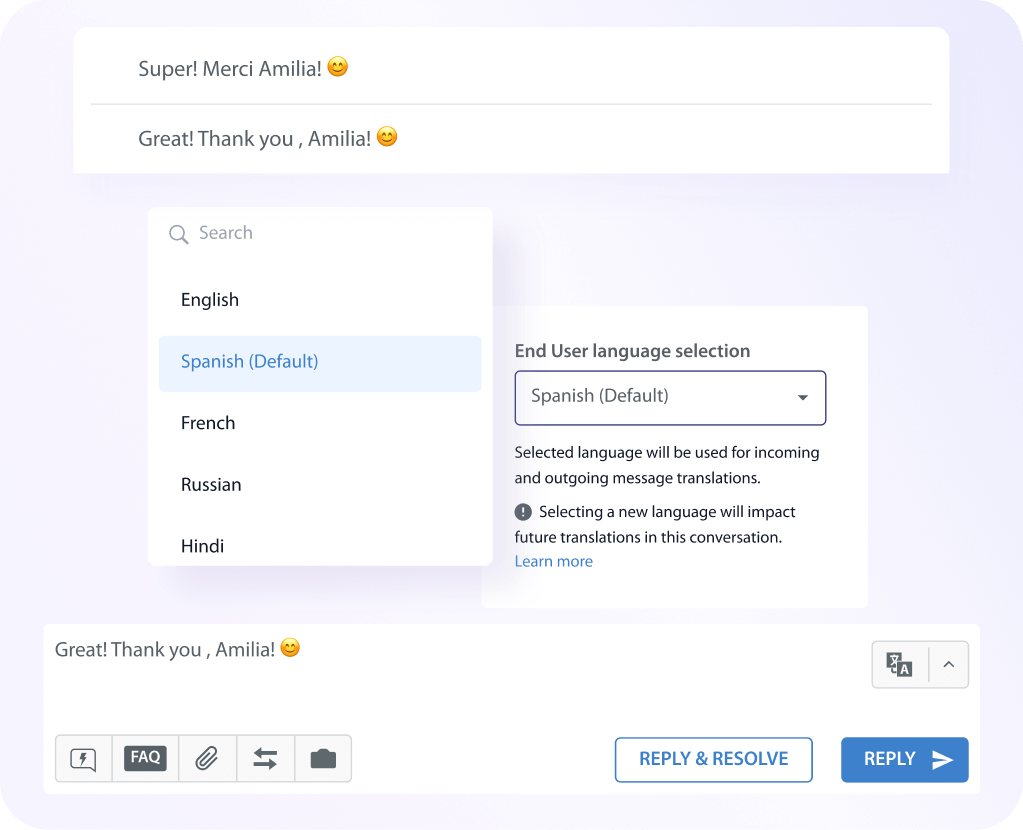
Language AI then detects and translates messages so these flows work consistently in over 70 languages, without separate regional stacks.
Unified Analytics for a 360° View of Player Support
When your channels and tools are fragmented, reporting quickly becomes guesswork. You might know ticket volume by queue, but not which platforms or events are driving the most pain.
Helpshift consolidates data across bots, in-app messaging, and agent workflows. You can slice metrics like automation rates, response times, and CSAT by platform, region, or game mode, instead of relying on anecdotal feedback from community channels. That level of visibility is what makes it possible to tune cross-platform support journeys instead of just firefighting.
Case Studies: Studios Getting Cross-Platform Support Right
Several large studios have already rebuilt their support around these principles, often after feeling the pain of trying to stretch legacy tools across new platforms.
Huuuge Games: Scaling efficiently with automation
Huuuge needed a way to handle rising volume without increasing headcount. With Helpshift automation and in-app workflows, the studio reduced escalations by 50% and resolved over 70% of inquiries through automated sequences.
This allowed support to stay consistent during live event spikes and ensured the team could scale support without scaling staffing.
KRAFTON: Faster response times for a global audience
KRAFTON grappled with a global player base, multilingual demand, and surge patterns tied to gameplay updates. After implementing Helpshift workflows and unified entry points across devices, they cut response times by 45%, automated reporting and account workflows, and used real-time dashboards to identify high-impact regions and issues faster, resulting in a smoother experience across every platform.
Jam City: Consistency across platforms and channels
Jam City aimed to create one cohesive support experience across multiple platforms. With Helpshift embedded directly into the game experience, 90% of tickets were deflected, overall ticket volume dropped by 30%, and the team successfully managed 90,000+ tickets per month without proportional headcount growth. The result was a predictable, scalable support model that performed consistently across devices.
Best Practices for Designing Cross-Platform Support Journeys
Creating a unified support experience across devices takes intention, structure, and ongoing refinement. The following best practices can guide your team as you design support journeys that feel consistent, responsive, and player-friendly across every platform:
Map the full player journey across all touchpoints
Begin with a simple exercise: list every way a player might ask for help today, by platform and context. For each touchpoint, note:
- How they discover support (HUD, menu, store, site, Discord).
- What they see first (FAQ, bot, form, email address).
- Whether their identity and history carry over when they change devices.
This map will make the gaps in your current stack painfully obvious, but it also shows you exactly where to prioritize fixes.
Use data to personalize responses by platform and context
Once your channels are mapped, layer data on top. Segment tickets and outcomes by platform, device type, language, and event.
Patterns will emerge quickly: maybe console players struggle with entitlement issues while mobile players hit payment walls, or certain regions see more disconnection errors. Use those patterns to design platform-aware workflows, content, and bot flows instead of treating “support” as one generic experience.
Prioritize frictionless escalation between channels
Players are usually happy to start with self-service or a bot if they know a human is nearby when needed. The real friction comes when escalation feels like starting from scratch.
Design bot and automation flows so they:
- Capture key details (platform, build version, region, account ID) upfront.
- Pass full transcripts and context to agents automatically.
- Keep the conversation in one thread, even if the player switches devices.
Continuously measure CSAT across platform segments
Finally, track satisfaction and effort by platform. In-app feedback bots and surveys inside the game tend to generate far more responses than email surveys, which gives you a better signal when something breaks on a specific device or region.
Final Thoughts: Support Without Boundaries
Cross-platform games have erased the lines between devices for players. Support should follow the same path. When journeys are unified, players feel understood, agents work with full context, and LiveOps teams get the feedback they need to keep events and updates running smoothly.
Helpshift gives gaming studios the building blocks to reach that state faster: in-app messaging that feels native everywhere, AI that understands intent across languages and platforms, and analytics that treat every interaction as part of one continuous story.
If you’re ready to design support journeys that travel with your players across console, PC, and mobile, request a Helpshift demo now.